IMPORT
Import your training video.
Kettlebell Sport video analysis
Import your training video. KBReplay detects your reps and performance metrics, lets you review every moment and helps you track your progress.
How it works
Six connected steps turn a recorded set into something you can analyze, review, share and use over time.
Import your training video.
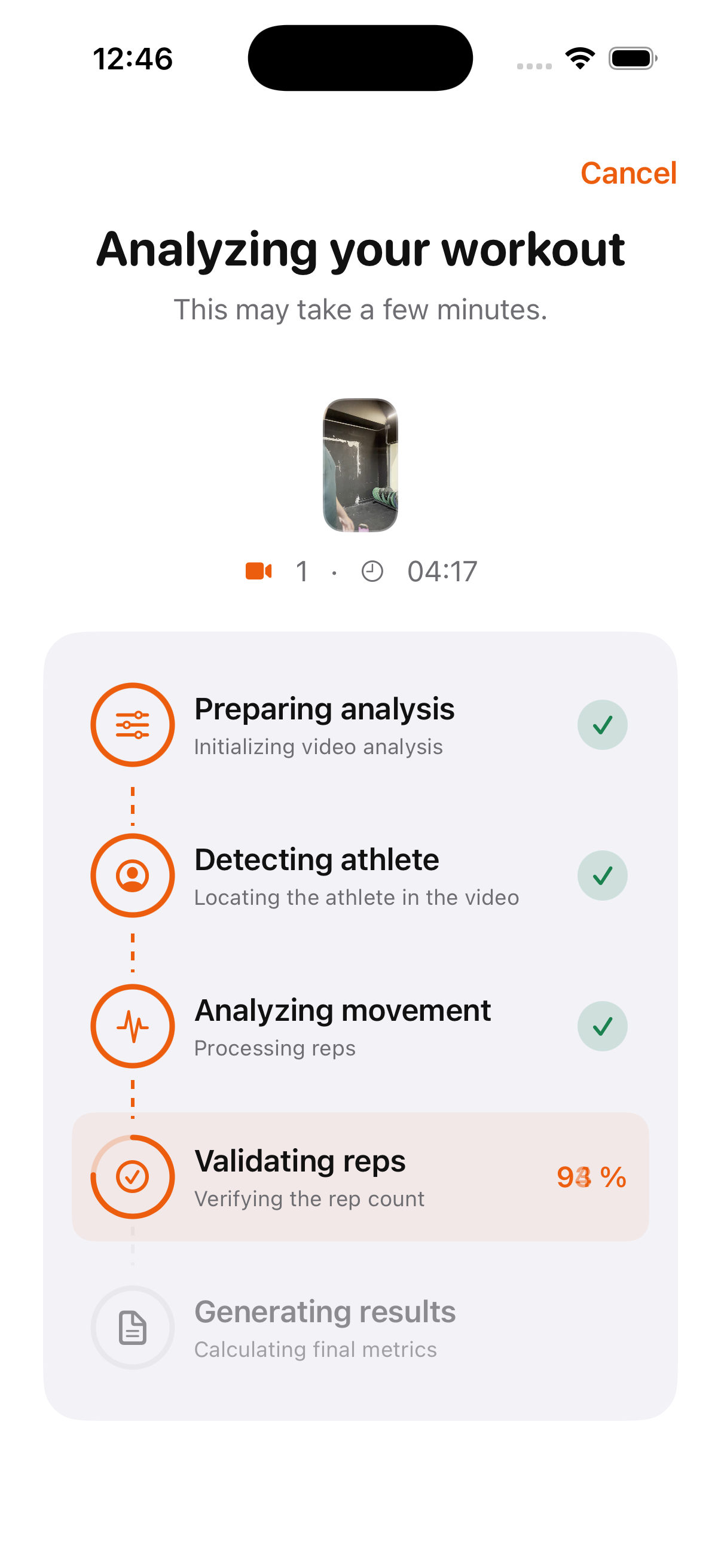
KBReplay analyzes your movement and detects your repetitions.
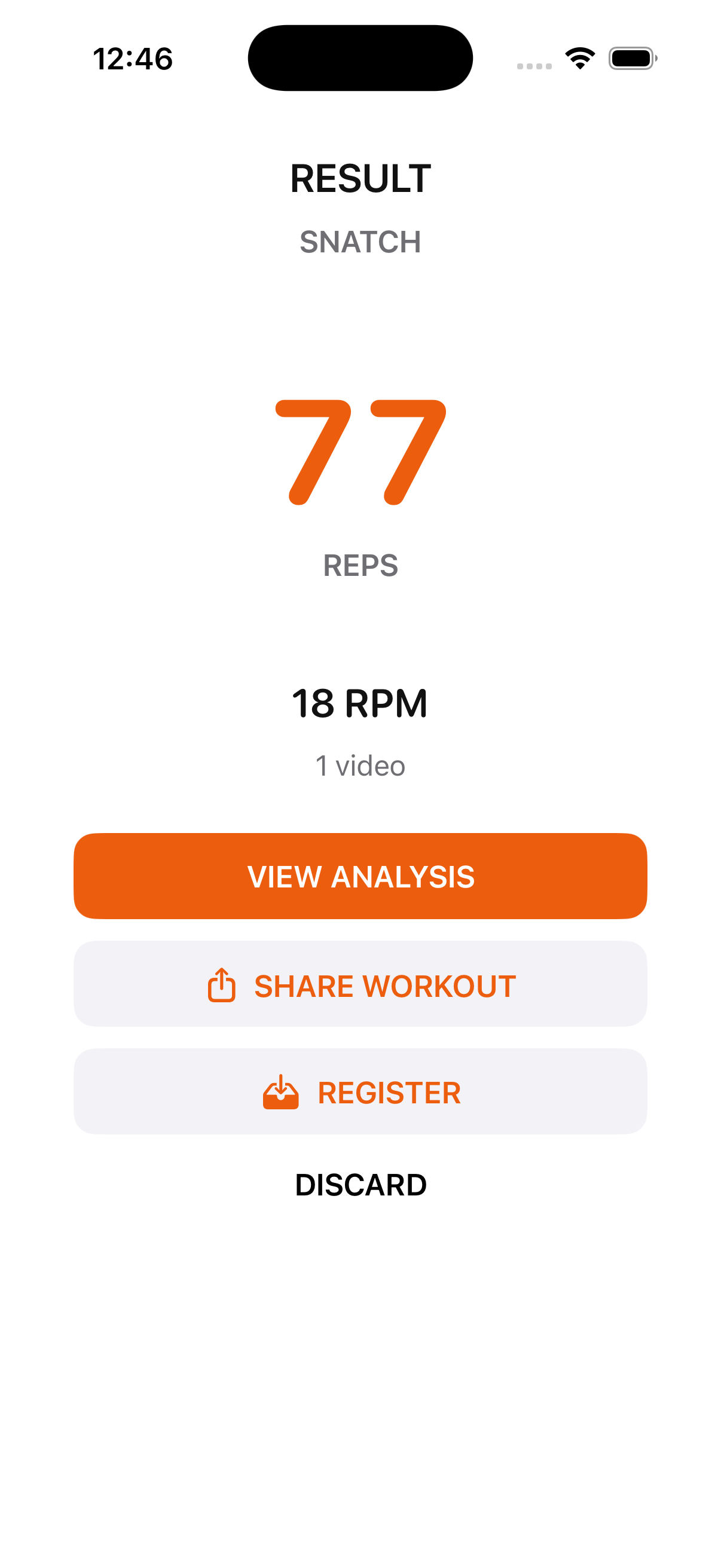
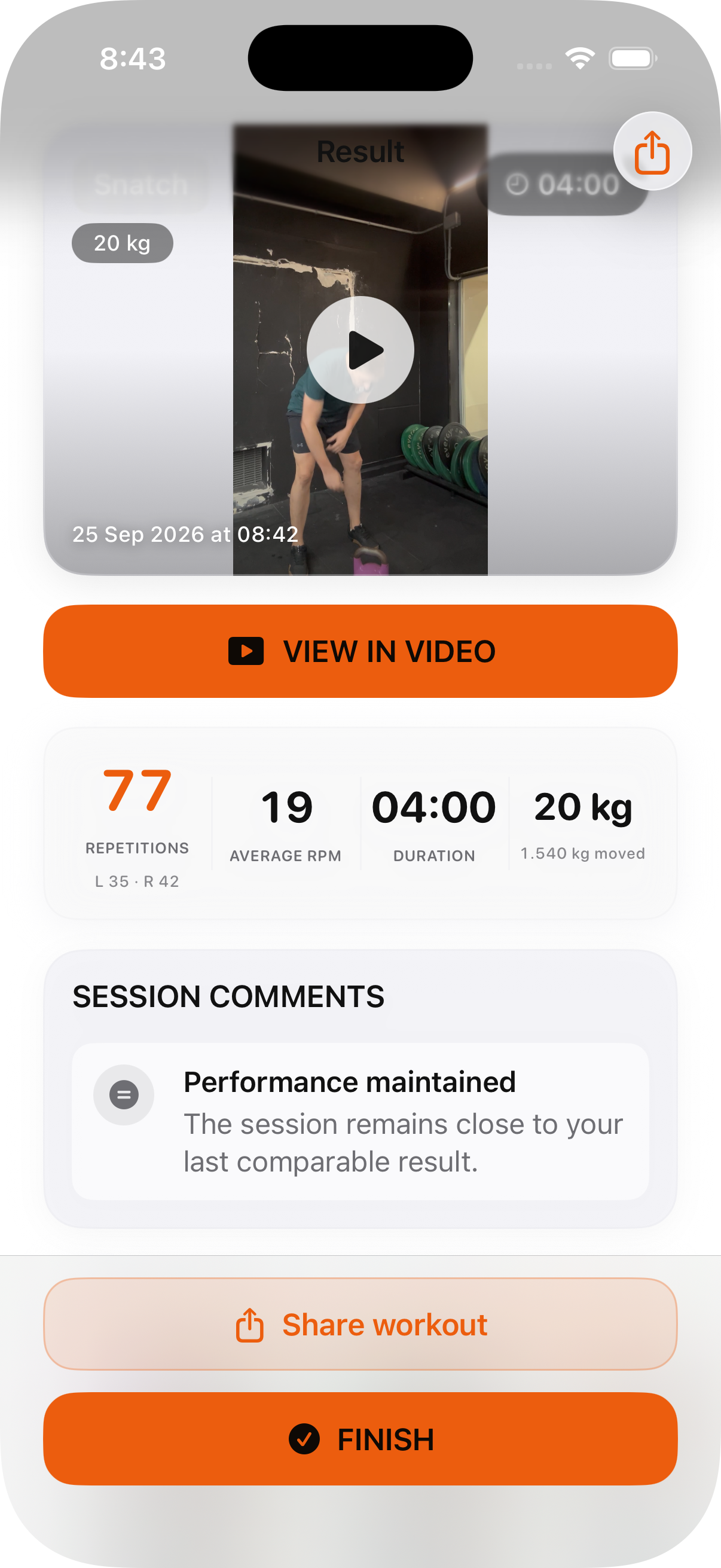
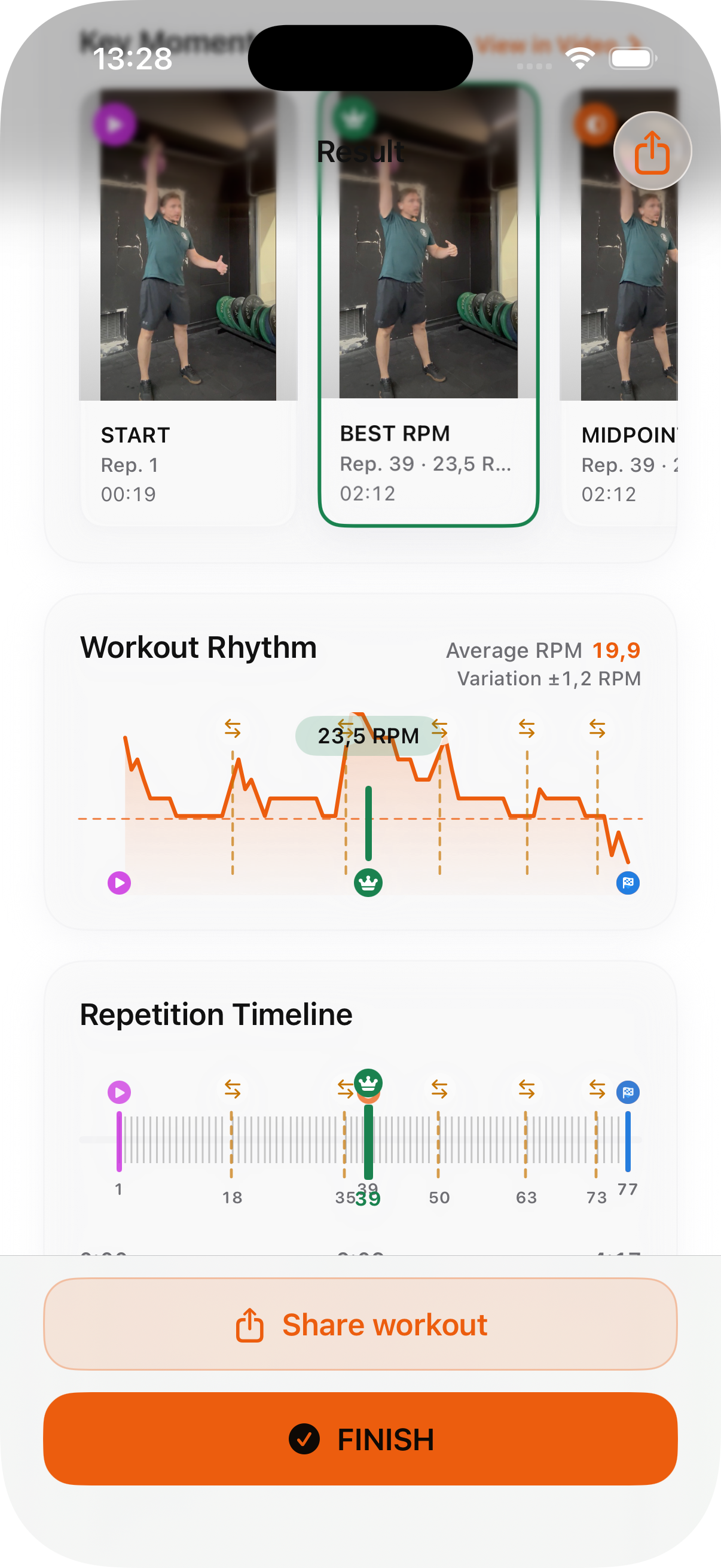
Review your complete result, rhythm and key moments.
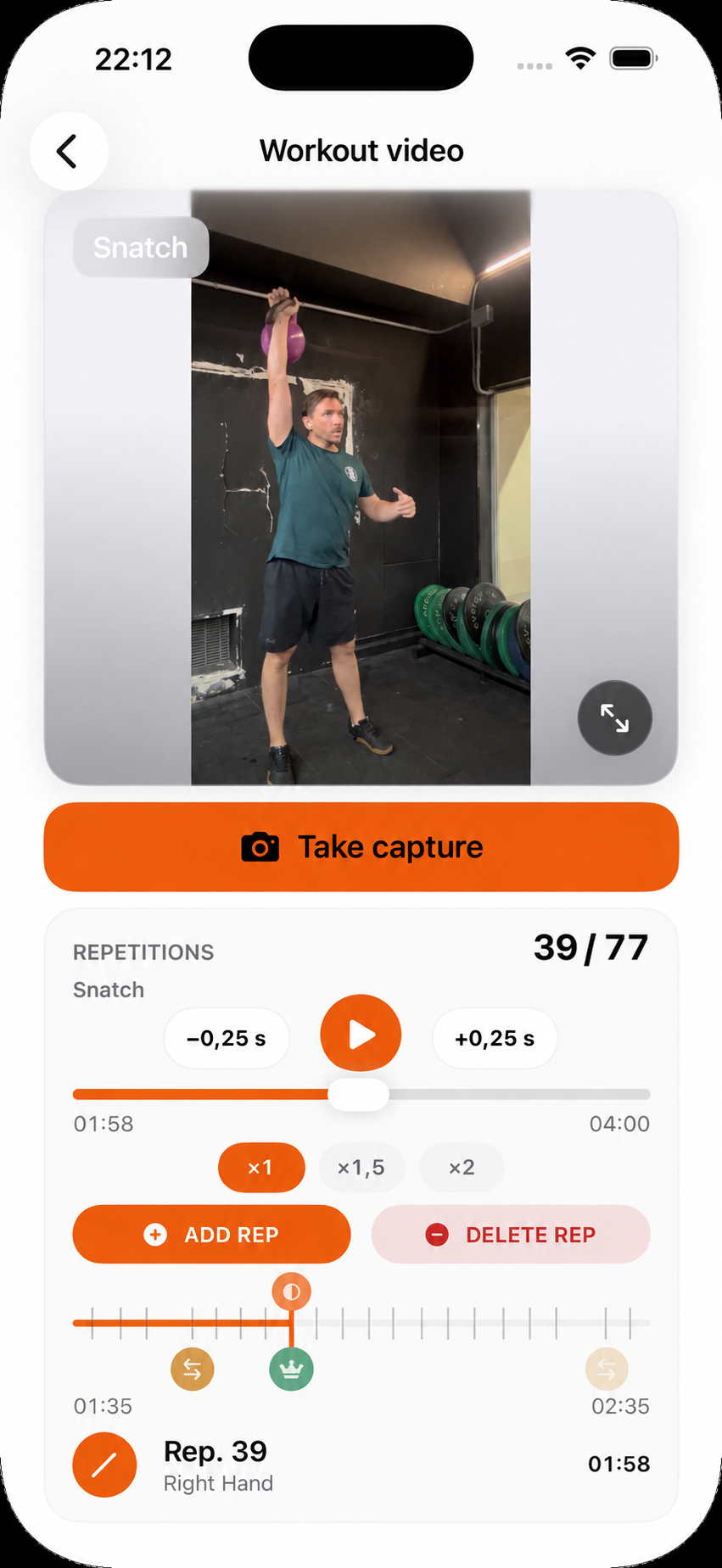
Rewatch the video with the automatic count visible throughout the session.
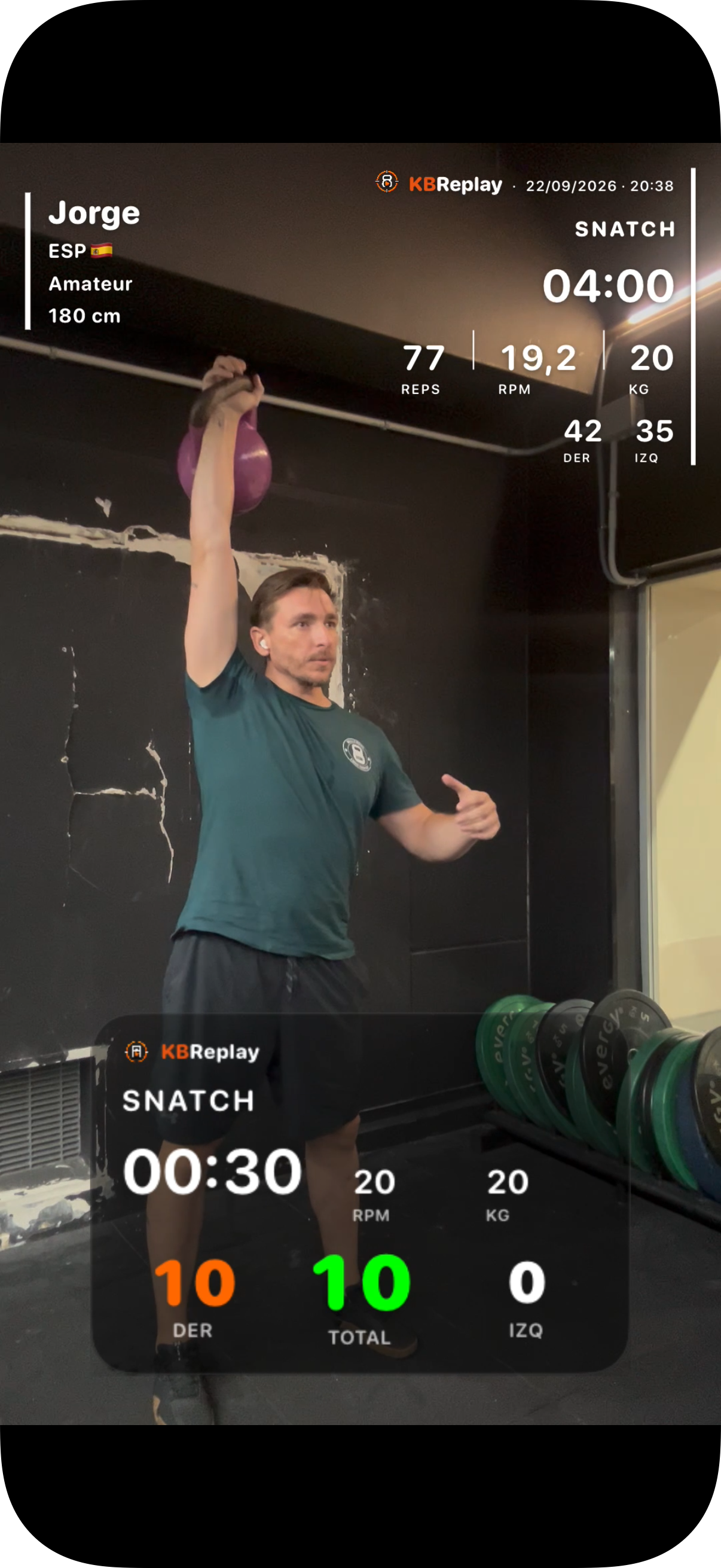
Share a clear summary of your training.
Save your session and follow your progress over time.
Analyze your training
KBReplay analyzes your recorded set and turns detected movement into useful training metrics.
Review
Review the complete result, your rhythm and the moments detected throughout the set to understand how the session unfolded.
Replay
Replay your workout at different speeds, check each repetition and correct the count when needed. Capture your favourite moments directly from the video.
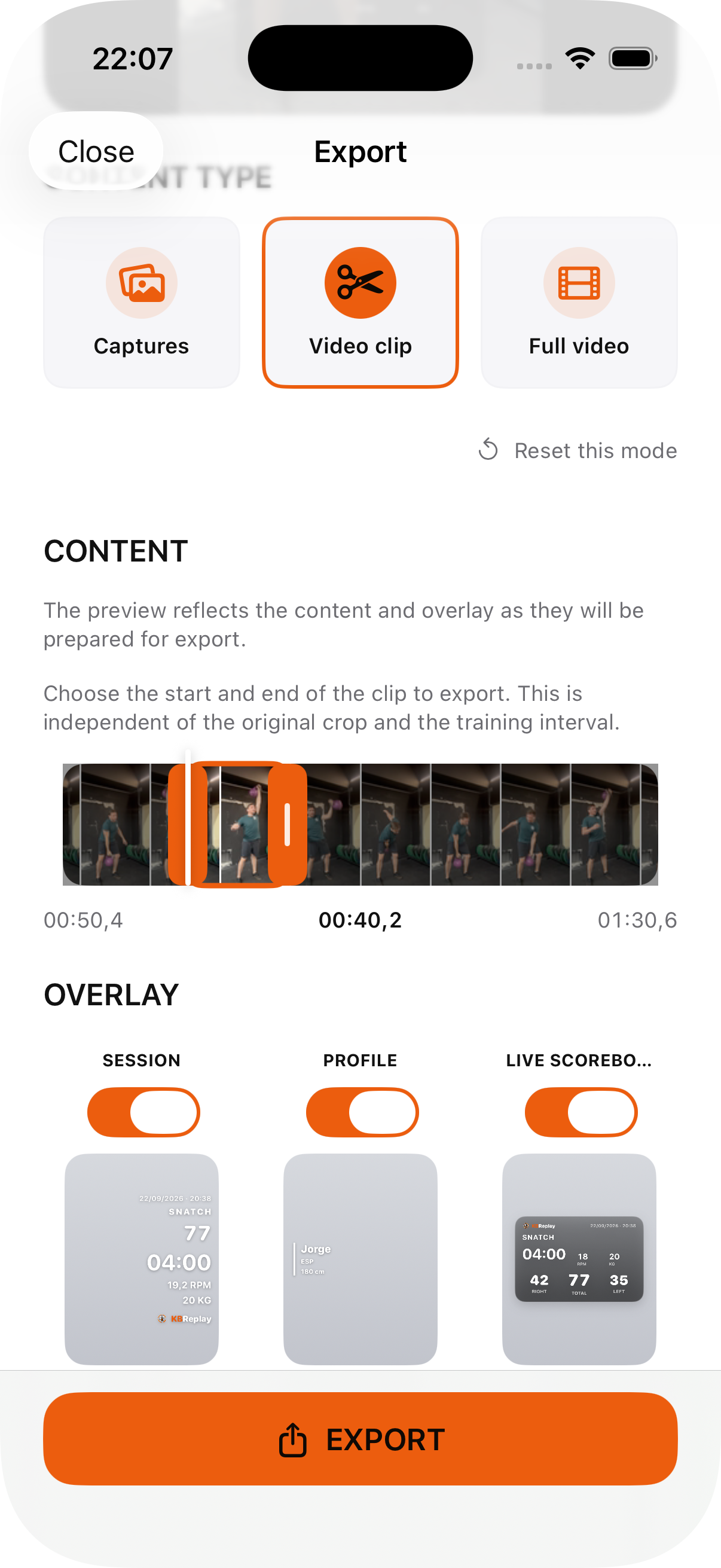
Share your training
Create captures, a short clip or the full video with your workout metrics ready to share.
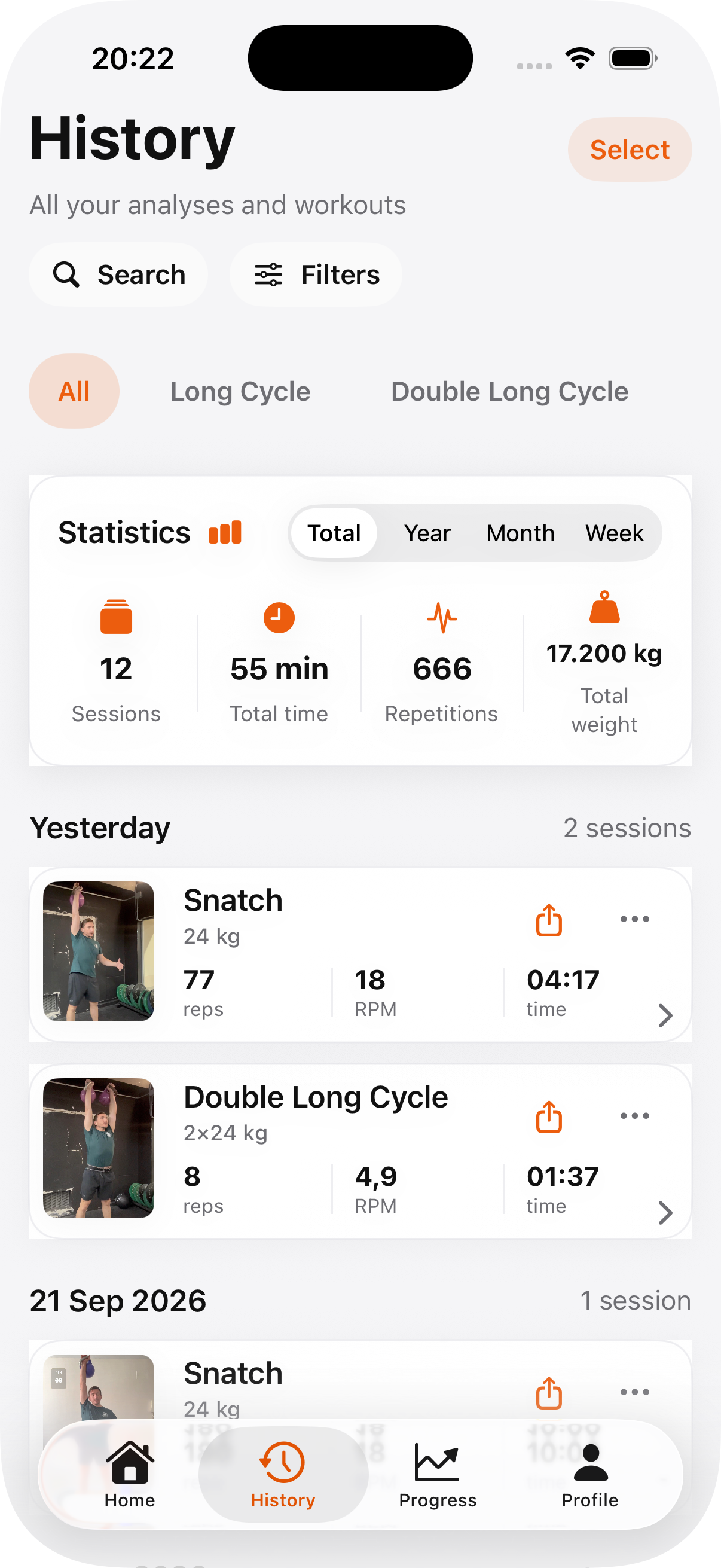
Training history
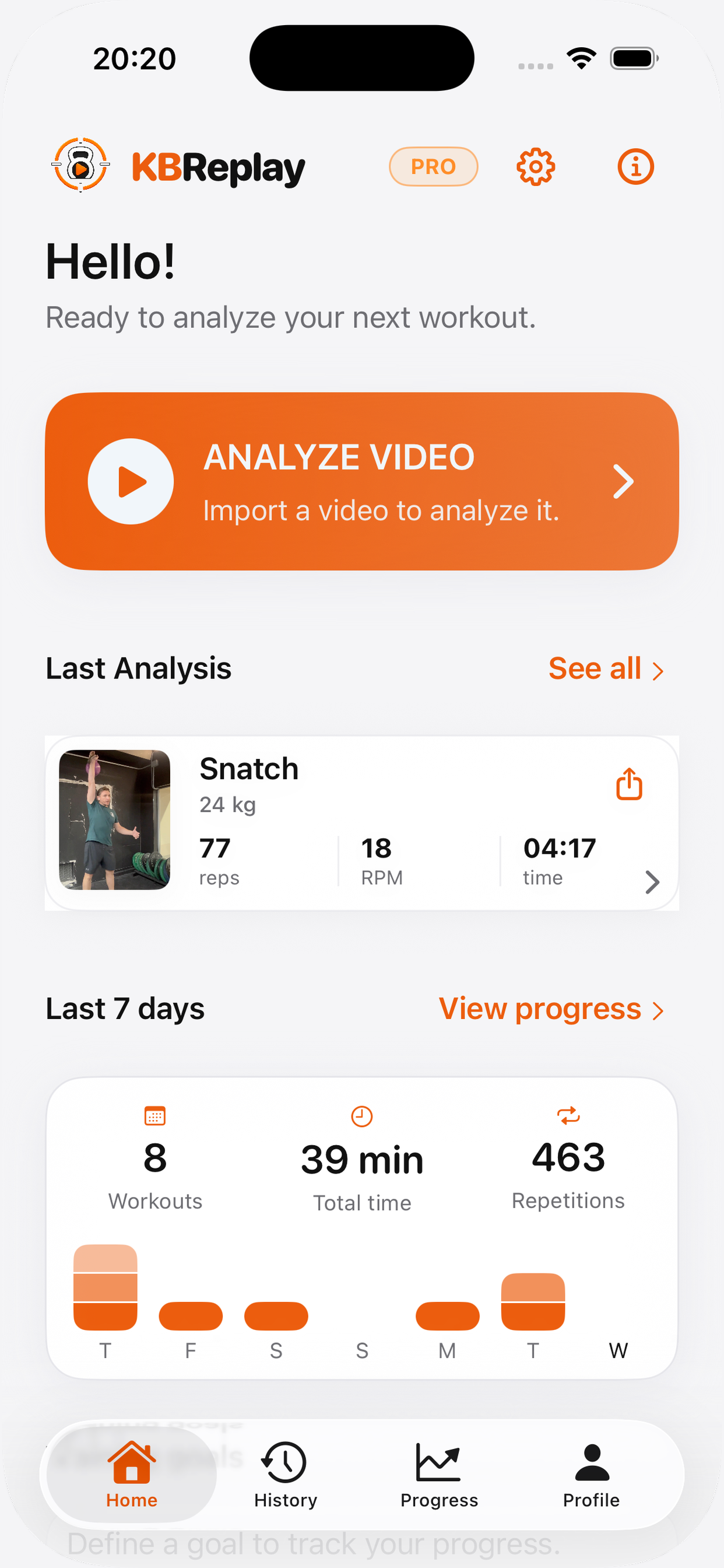
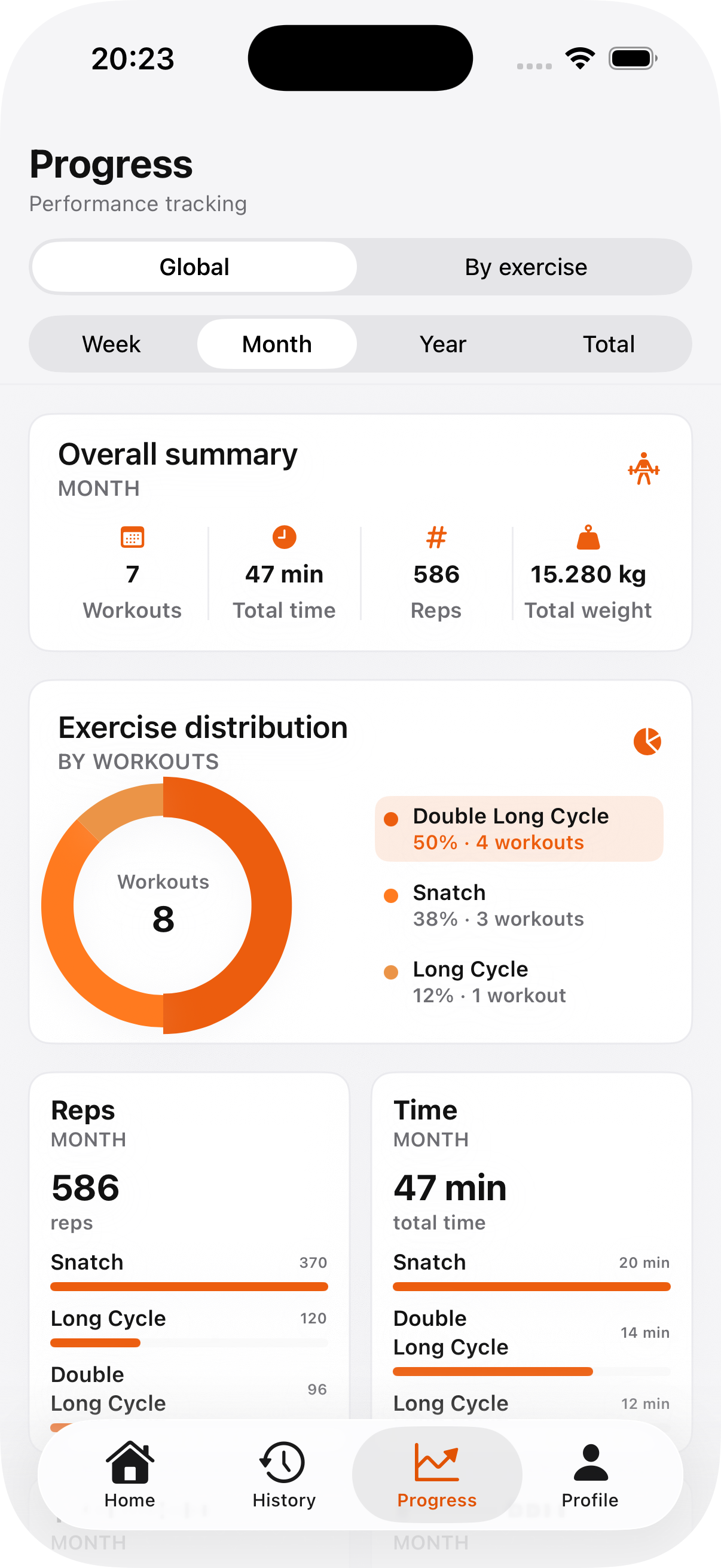
Every analyzed session can become part of your training history. Review previous workouts, follow your numbers and see how your training evolves over time.
The Progress dashboard is included with KBReplay PRO.
Privacy by design
Core video analysis is designed to run directly on your device. Your training video does not need to be uploaded to an external server for the core analysis process.
Train. Replay. Improve.